
Ship Fast, Monitor Faster: DevOps for the Solo Builder
You don't have an ops team. You don't have on-call rotations. But you do have users who expect your app to work. Here's your survival guide.

James Wolf
Founder @ SlyDuck
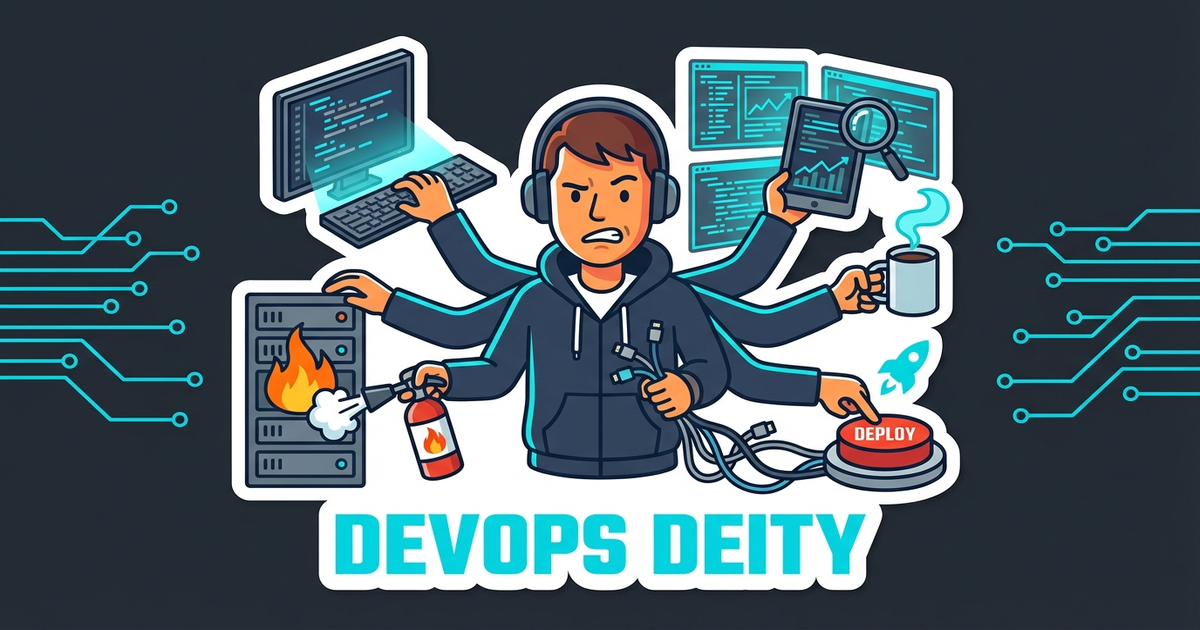
The Solo Builder Reality
You're shipping a SaaS. Or maybe three. You handle:
- Feature development
- Bug fixes
- Customer support
- Marketing
- Sales
- DevOps
- ...everything
There's no ops team to page when something breaks at 2 AM. There's no SRE to investigate performance issues. There's just you, maybe a co-founder, and a dream.
This guide is for you.
The 5 Things That WILL Break
Not might break. Will break. Plan for them.
1. Your Database Will Run Out of Connections
It happens to everyone. You're using a hosted database (Supabase, PlanetScale, Neon), you hit the connection limit, and suddenly nothing works.
Prevention:
- Use connection pooling from day one
- Monitor connection counts in your database dashboard
- Set up alerts before you hit limits, not after
2. Your Third-Party API Will Go Down
Stripe, SendGrid, your AI provider—they all have outages. And when they go down, your users think YOU'RE down.
Prevention:
- Have fallback behavior (graceful degradation)
- Don't let a third-party failure break your entire app
- Monitor your upstream dependencies
3. Your SSL Certificate Will Expire
"But I have auto-renewal!" Cool. It still fails sometimes. Cloudflare has issues. Let's Encrypt has rate limits. Things break.
Prevention:
- Monitor SSL expiry dates
- Get alerts 14 days before expiration
- Have a manual renewal process documented
4. Your Deploy Will Break Production
You ship a bug. It happens. The question is how fast you notice.
Prevention:
- Monitor immediately after every deploy
- Have a rollback plan (know how to revert quickly)
- Don't deploy on Fridays (yes, really)
5. Your Site Will Get Slow
That N+1 query? It's fine with 100 users. With 10,000? Your site crawls.
Prevention:
- Monitor Core Web Vitals
- Set up performance alerts
- Actually load test before going viral (wishful thinking, I know)
The Solo Ops Toolkit
Here's what you actually need, sorted by priority:
Must Have (Day 1)
Uptime Monitoring
Know when your site is down. This is non-negotiable. Free options exist. There's no excuse.
Error Tracking
Sentry, LogRocket, whatever. Know when errors happen in production. Users won't always tell you.
Basic Logging
Vercel logs, Cloudflare logs, console.log (seriously)—something. You need to be able to investigate.
Should Have (Week 1)
Performance Monitoring
Core Web Vitals, response times. Know when things are slow before users complain.
Database Monitoring
Connection counts, query times, storage usage. Your database dashboard usually has this.
Backup Strategy
For your database at minimum. Ideally for everything.
Nice to Have (Month 1)
Dependency Scanning
Know when your packages have vulnerabilities.
Security Headers Check
Know if you're following basic security practices.
SEO Monitoring
Know if your site is properly indexed and performing.
The Alert Philosophy
Too many alerts = alert fatigue = ignored alerts = missed problems.
Here's how to set up alerts that actually work:
Alert Immediately
- Site is down (not responding)
- Error rate spikes above normal
- Critical security vulnerabilities
Alert Daily (Digest)
- Performance degradation
- Non-critical dependency updates
- Approaching resource limits
Alert Weekly (Report)
- SEO changes
- Usage trends
- Non-urgent updates
Don't Alert
- Every 404 error
- Every minor version update
- Things you can't act on
The 2 AM Problem
Your site goes down at 2 AM. What happens?
Bad scenario: You wake up to 47 angry support emails and tweets.
Good scenario: You wake up to one notification: "Site was down 2:07-2:09 AM, auto-recovered, no action needed."
Best scenario: The auto-recovery worked, you didn't wake up, and you read about it in your morning digest.
The goal isn't to never have problems. It's to:
- Know about problems before users do
- Have automated recovery for common issues
- Sleep through the ones that fix themselves
- Wake up only for the ones that need you
Practical Automation for Solo Builders
Auto-Recovery
Vercel/Netlify:
Deploys auto-recover on failure (rollback to last working version).
Database:
Most hosted databases auto-restart on failure.
Edge Functions:
They restart automatically. That's the point.
Health Checks
Create a /health or /api/health endpoint that:
- Returns 200 if everything's working
- Checks database connectivity
- Checks critical external services
- Returns fast (under 500ms)
Point your uptime monitor at this. Now you're monitoring real health, not just "server responds."
Deploy Verification
After every deploy:
- Automated tests run
- Health check runs
- If fail, auto-rollback
- If success, notify (optional)
Daily Automated Checks
- Dependency scan runs
- SEO crawl runs
- SSL expiry check runs
- Backup verification runs
You shouldn't have to remember to do these. They should happen automatically.
The Real Secret: Reduce Surface Area
The best ops strategy for solo builders? Less to monitor.
- Fewer services = fewer failure points
- Managed services = someone else's ops problem
- Edge functions = no servers to maintain
- Serverless database = no connection pooling nightmares
Every architectural choice is also an ops choice. Choose boring technology. Choose managed services. Choose less.
Your Monday Morning Routine
Here's what healthy solo DevOps looks like:
- Check dashboard (2 min): Any red indicators? Any alerts from the weekend?
- Review digest (3 min): What happened while you were offline?
- Check dependencies (2 min): Any security issues? Any updates to schedule?
- Glance at performance (1 min): Trending up? Trending down?
Total: Under 10 minutes.
If you're spending hours on ops every day, something's wrong. Either your stack is too complex or your monitoring is too noisy.
The Bottom Line
You're a solo builder. You can't do ops like Netflix does ops. You shouldn't try.
Instead:
- Automate everything that can be automated
- Alert only on things you can and will act on
- Use managed services that handle their own ops
- Accept that some things will break
- Set up systems to catch them quickly
Ship fast. Monitor faster. Sleep soundly.
---
SlyDuck monitors uptime, dependencies, performance, and SEO across all your projects in one dashboard. Built for developers who do everything themselves. Start monitoring — first project is always free.
Solo ops, simplified
SlyDuck gives solo builders one dashboard for uptime, dependencies, performance, and backups. Know what's happening without the context switching.
Start Monitoring SoloJames Wolf
Founder @ SlyDuck
Building SlyDuck: the growth dashboard for vibe coders. Builder, leader, Dad, creator.
Related Articles
Running 5 Vibe-Coded Apps? Here's How to Keep Them All Healthy
You built one app with AI. Then another. Now you have five. Each has its own Supabase, Vercel, domain... and you're drowning in dashboards.
The Hidden Cost of Free Hosting: What Vercel and Netlify Don't Tell You
Free tiers are amazing for getting started. But as your traffic grows, the hidden costs add up fast. Here's what you need to know before that first bill surprises you.