
Supabase Project Paused? How to Prevent It (2026 Guide)
Your Supabase project went inactive and now it's paused. Your users are getting errors. Here's how to fix it, prevent it, and decide if it's time to upgrade.

James Wolf
Founder @ SlyDuck
The 3 AM Discovery
You built something cool with Lovable or Bolt. Deployed it. Showed it to friends. Got some users. Life was good.
Then one morning, users start complaining. "The app won't load." You check your Supabase dashboard and see it: Project Paused.
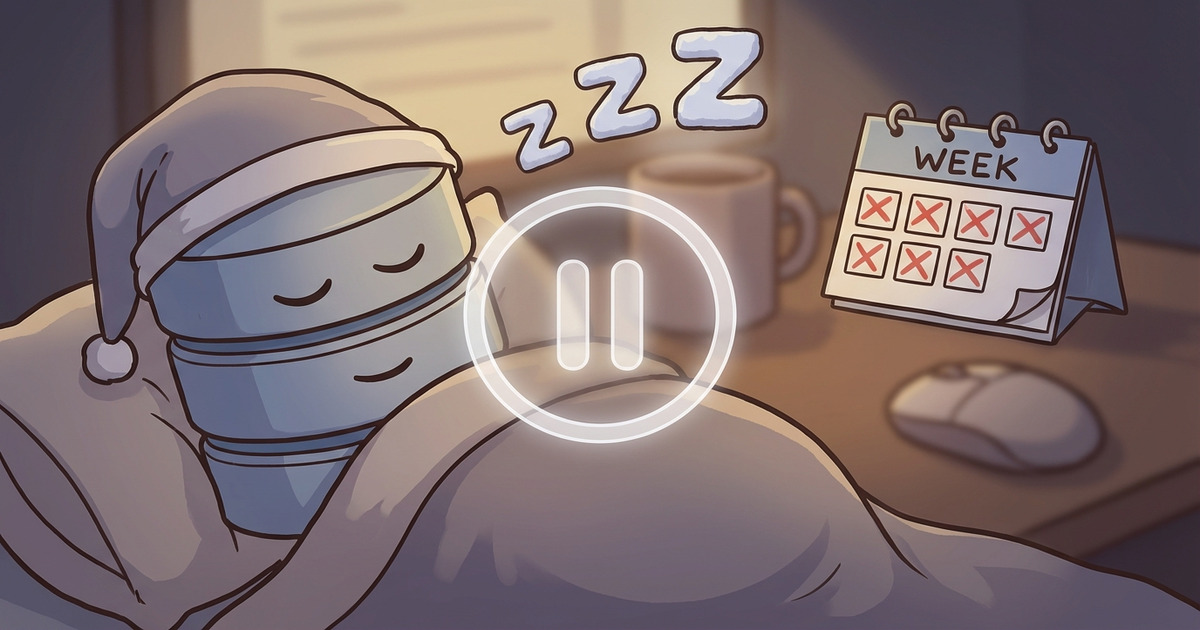
Your database went to sleep because Supabase didn't see activity for 7 days. And now everything is broken.
Why Supabase Pauses Free Tier Projects
Let's be clear: Supabase isn't being mean. Running databases costs money. On the free tier:
- Projects pause after 1 week of inactivity
- You can have 2 active projects maximum
- Paused projects don't count toward your limit
- Your data is safe—it's just... sleeping
The pause exists so Supabase can offer a generous free tier without going bankrupt on abandoned projects.
What "Inactivity" Actually Means
Your project is considered active if there's:
- Database queries (SELECT, INSERT, UPDATE, DELETE)
- Auth events (sign-ins, sign-ups)
- Storage operations
- Edge function invocations
Your project is NOT kept active by:
- Just having the dashboard open
- Visiting your deployed frontend
- API calls that don't hit the database
This is the trap. Your site can have traffic, but if that traffic doesn't generate database queries, Supabase doesn't see it.
The Cold Start Problem
When a paused project gets unpaused, it doesn't just instantly work. There's a cold start period where:
- The database needs to boot up
- Users see loading spinners for 10-30+ seconds
- Some connections might time out
- First requests might fail entirely
This is terrible UX. Your users don't know your database was napping. They just see a broken app.
Solution 1: Keep It Active (Free)
The most common approach is to ping your database regularly. Many developers use GitHub Actions for this:
name: Keep Supabase Active
on:
  schedule:
    - cron: '0 0 /3  '  # Every 3 days

jobs:
  ping:
    runs-on: ubuntu-latest
    steps:
      - name: Ping Supabase
        run: |
          curl -X POST 'https://YOUR_PROJECT.supabase.co/rest/v1/rpc/ping' \
            -H "apikey: YOUR_ANON_KEY"
Popular Tools for This
- supabase-pause-prevention - GitHub Action specifically for this
- Cron-job.org - Free external cron service
- Your own server - If you have one running anyway
Solution 2: Upgrade to Pro ($25/month)
If your project has real users, $25/month is nothing. Pro tier gives you:
- No automatic pausing
- 8GB database (vs 500MB free)
- Daily backups
- 7-day log retention
- Priority support
The mental math: Is your time worth more than $25/month to manage keep-alive scripts and worry about pausing? Probably.
Solution 3: Monitor Actively
Here's what most keep-alive solutions miss: they only prevent pausing, they don't tell you if something's wrong.
Your keep-alive script runs every 3 days. Your project is technically "active." But:
- Is the database actually responding correctly?
- Are your API routes working?
- Would a real user have a good experience?
Monitoring means knowing the answers to these questions continuously—not just pinging to stay alive.
What To Do Right Now (If You're Paused)
Step 1: Unpause the Project
- Go to your Supabase Dashboard
- Select the paused project
- Click "Restore project"
- Wait 2-5 minutes for it to boot
Step 2: Check Your Data
Everything should be there, but verify:
- Run a simple SELECT query
- Check that auth still works
- Test your main app flows
Step 3: Set Up Prevention
Choose one:
- GitHub Actions keep-alive (free, DIY)
- Upgrade to Pro (paid, zero maintenance)
- Active monitoring solution (catch issues, not just prevent pausing)
The Real Problem: "Set and Forget"
The deeper issue isn't Supabase's pausing policy. It's the vibe coding workflow:
- Build app with AI
- Deploy
- Move on to next idea
- Forget about the deployed app
- Get surprised when it breaks
Supabase pausing is just one symptom. SSL certificates expire. Dependencies get vulnerabilities. Performance degrades. If you're not watching, you're hoping.
When to Upgrade vs. When to Let It Pause
Keep on Free Tier (with keep-alive)
- Personal projects you're still developing
- Demos and prototypes
- Projects with occasional users
Upgrade to Pro
- Any project with paying users
- Projects you're actively promoting
- Apps where downtime costs you money or reputation
Let It Pause
- Abandoned projects you'll never touch again
- Experiments that didn't pan out
- Learning projects you're done with
Pausing isn't bad. It's Supabase's way of saying "we'll hold onto your data, but we're not running a database for nobody."
The Bottom Line
Supabase pausing free tier projects is fair. But it catches a lot of vibe coders off guard because:
- They didn't know about the 7-day limit
- They assumed "deployed" meant "always running"
- They moved on to the next project and forgot
Set up a keep-alive if you're staying on free tier. Upgrade if you're serious about the project. And consider actual monitoring if you want to know about problems before your users do.
---
SlyDuck monitors Supabase-connected projects and alerts you before things break. Keep your projects healthy—first project is always free.*
Never get paused again
SlyDuck monitors your Supabase-connected projects continuously. If activity drops or your project goes offline, you'll know before it gets paused.
Monitor Your Supabase ProjectsJames Wolf
Founder @ SlyDuck
Building SlyDuck: the growth dashboard for vibe coders. Builder, leader, Dad, creator.
Related Articles
Bolt.new to Production: The Complete Deploy Checklist
Bolt gets you 70% of the way to a working app. Here's how to handle the other 30% before you go live.
Why Your Dependencies Are a Ticking Time Bomb
Most developers check their dependencies when something breaks. By then, you've been vulnerable for months. Here's how daily scans save you from becoming a headline.